- Apps
- Premium
-
VPN Locations
- Help
- Sign up
- Sign in
VPN for Android TV
Get Browsec on your Android TV or Google TV from Google Play, pick a location with the remote and protect everything your TV streams. Works on Sony Bravia, Chromecast with Google TV, Nvidia Shield and other Android TV and Google TV devices.
Free locations included. Browsec Premium unlocks every location and faster servers.
The universal APK works on most Android TVs. If it won't install or connect on your TV or box, try the APK for older TVs. Beta APK for testing
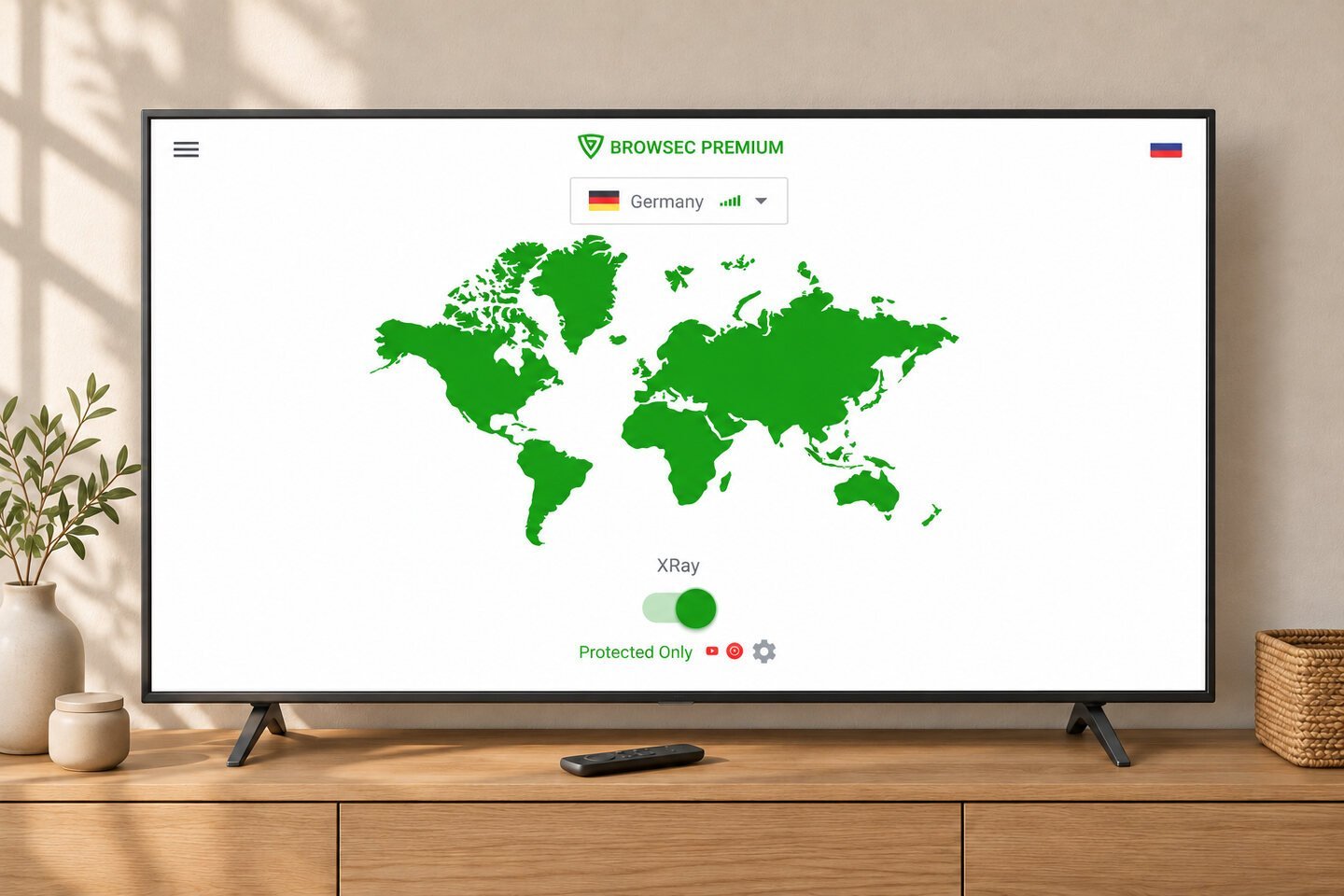
How to set up a VPN on Android TV
Four steps with the remote:
-
01
Open Google Play on the TV
On Google TV, go to the Apps tab and select Search for apps. On other Android TV models, open Google Play from the apps row.
-
02
Install Browsec
Search for Browsec and select Install. Typing with the remote is slow, so you can also do it from your phone or computer: open Browsec on Google Play, choose Install on more devices and tick your TV. The app appears on the TV within a few minutes.
-
03
Allow the VPN connection
Open Browsec, accept the Terms of Service and turn on the switch in the middle of the screen. The first time, Android asks for permission to set up a VPN connection. Select OK.
-
04
Pick a location and connect
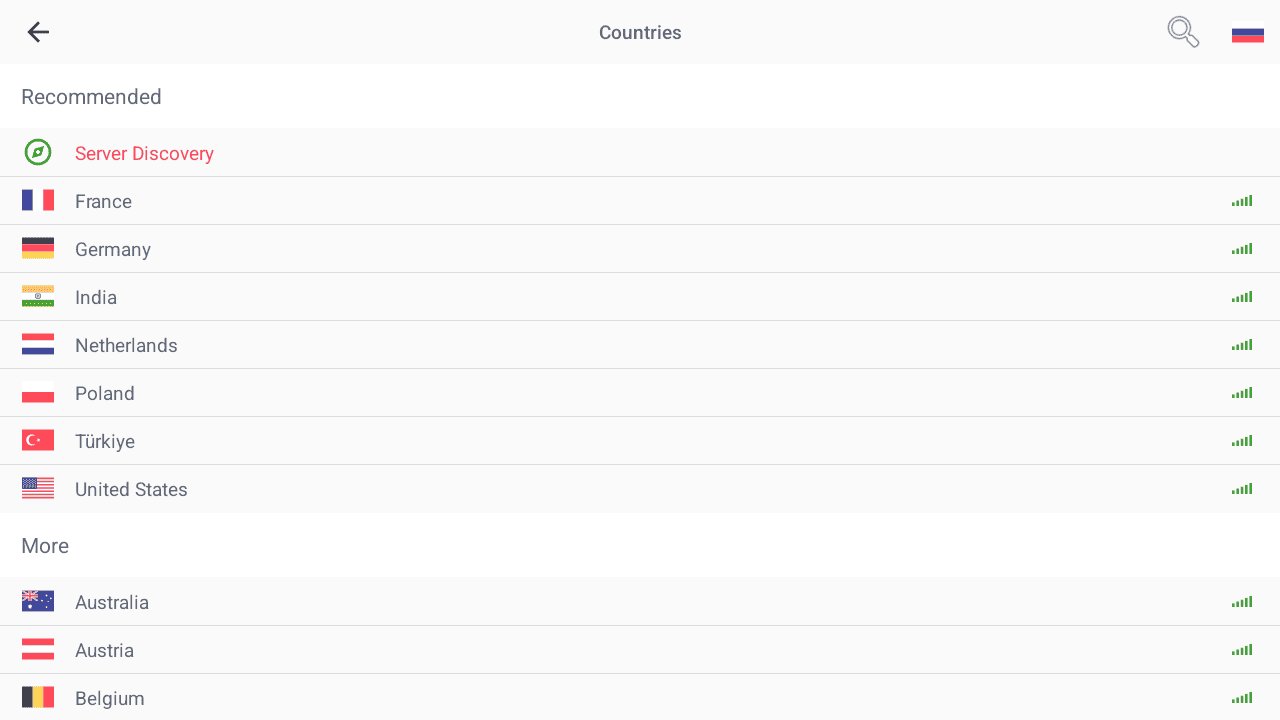
Choose one of the free locations from the list. If you have Premium, sign in with your Browsec account to unlock every location.
Why use a VPN on your Android TV
Take your streaming with you
A Chromecast or Android TV box fits in a suitcase. Plug it into the TV wherever you're staying, connect Browsec to a location at home, and streaming apps see a Browsec IP from that country.
Keep your viewing to yourself
Without a VPN, your internet provider can see which services your TV connects to and when. With Browsec on, the provider sees only encrypted traffic to a Browsec server.
Choose which TV apps use the VPN
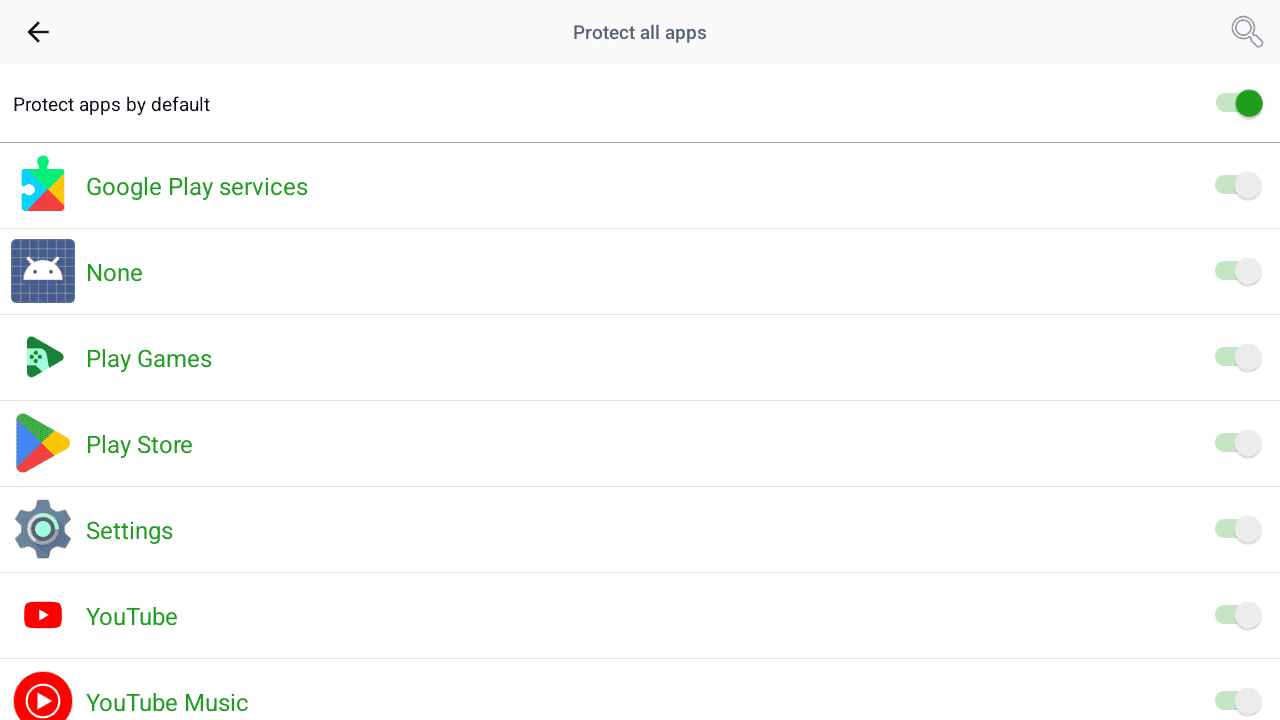
On shared Wi-Fi, you can protect every TV app by default. You can also choose individual apps, so YouTube uses the VPN while a local streaming app keeps its usual connection.
Built for the TV
Easy with a remote
The app works with your TV remote: move through the locations and connect with one press.
Quick to switch
Change locations in a couple of presses when a game or show is only available elsewhere.
Install on a TV without Google Play
On an Android TV box without Google Play or a Fire TV Stick running Fire OS, open Downloader and enter is.gd/broapk. If the universal APK won't install or connect on an older device, try is.gd/brotvapk.
What you get with Browsec VPN for Android TV
Worldwide connection
46 server locations across Europe, the Americas, Asia, Africa and Australia, including two in the US. Switch between them whenever you like.
AES-256 encryption
The same encryption standard Browsec uses on Android phones, applied to everything your TV sends.
A free plan with no time limit
Connect to the free locations without creating an account, and use them as long as you like.
One subscription, five devices
Your TV counts as one of five devices on a Premium account. Use the rest on your phone, computer or browser.
What people say about Browsec
Sitam BangkungI used this in phones, now I use this on my android TV and it's free and very easy to use. And the performance are quite impressive and better than other paid vpn
ABDULREHMANit was great VPN that I ever use in my life no delays no error no bugs and no disconnection
Fido Didoperfect it never fails
saidI LOVE that to use it full free and easy connected
Get Browsec VPN for Android TV
The universal APK works on most Android TVs. If it won't install or connect on your TV or box, try the APK for older TVs. Beta APK for testing
7-day money-back guarantee
Frequently asked questions
Can you put a VPN on Android TV?
Yes. Android TV and Google TV have no built-in VPN, but they can run VPN apps. Open Google Play on the TV, search for Browsec and select Install, or send it from your phone: open Browsec on Google Play, choose Install on more devices and tick your TV. Then open Browsec, accept the Terms of Service, turn on the switch and select OK when Android asks for permission to set up a VPN connection. Pick a location and you're done.
Why isn't the VPN working on my Android TV?
First, open Browsec and check that it says you're connected. Then close the streaming app fully in Settings > Apps > See all apps > [the app] > Force stop, and open it again. Many apps remember your location until they restart. If that doesn't help, connect to a different location or restart the TV or box. If you installed Browsec from Google Play and it won't connect, try the APK for older TVs on this page. Still stuck? Write to support@browsec.com and tell us your TV model and the location you're connecting to.
How do I install the APK on Android TV?
Open Downloader on your TV and enter is.gd/broapk for the universal APK. When prompted, allow Downloader to install apps and select Install. On Google TV, if the permission is hidden, open Settings > System > About and select Android TV OS build seven times. You can also transfer the APK from a computer on a USB stick. If the universal build won't install or connect on an older TV or box, enter is.gd/brotvapk in Downloader. That build uses older libraries for compatibility.
Is there a free VPN for Android TV?
Yes. Browsec has a free plan on Android TV. You don't need an account, and there's no time limit. Browsec Premium adds 40+ locations and faster servers with fewer users. You can try Premium with a 7-day free trial on Google Play.
Can I use the same subscription on my TV and my phone?
Yes. One Browsec Premium subscription covers up to 5 devices at the same time, and your TV counts as one of them. Sign in with the same Browsec account on the TV, your phone, computer or browser. A subscription bought on the website also works in the Google Play app, and the other way round.